Quarter by quarter. Cap by cap. Always current.
Caps, quarters, exclusions, five-meters, all-day tournaments at a pool an hour away. Rostered keeps the roster, schedule, score, and parent updates. All together for the way water polo actually runs.
Water polo breaks
most team apps.
Every sport has its own rules, terminology, game flow, and statistical categories. Rostered was built from the ground up to support multiple sports logistically and statistically, starting here with water polo.
Caps, not jerseys
Water polo families think in caps, not jersey numbers. Rostered keeps roster context close to the schedule, messages, attendance, and QuickCap scoring flow.
Water polo-specific scoring
Water polo's specifics are supported by QuickCap: score changes, quarters or periods, exclusions, timeouts, and the moments parents ask about afterward.
Tournament weekends
Three games Saturday, two Sunday, two pools, and a schedule that only takes shape as you win or lose.
Pool-side weather
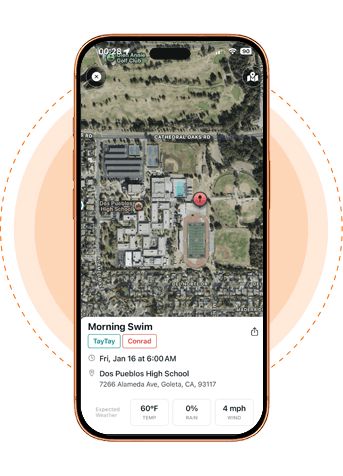
Outdoor pools mean heat, wind, air quality, or lightning can change the plan fast. Rostered keeps the in-app schedule current and helps teams notify families when plans change.
Score the game
from the pool deck.
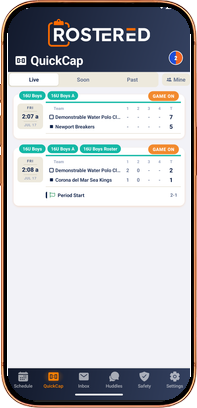
QuickCap brings water polo into the live game flow: a fast pool-deck scorekeeping experience backed by the team's roster, schedule, and family communication tools.
- Score by quarter or period with a timestamped play-by-play for the game
- Log water-polo events directly: goals, assists, steals, blocks, exclusions, five-meters, timeouts, and sprints
- Tie each play to the right athlete and cap number
- Speak-to-Score (beta): call plays out loud when the action is too fast to tap, then review and approve what QuickCap heard
- Give coaches a postgame record without turning the pool deck into spreadsheet work
- Let families follow live scoring without waiting for a separate text thread
The score, on your iPhone lock screen.
A parent stuck at work shouldn't have to text the assistant coach for the score. When a game is live in QuickCap, the score, quarter or period, and last play can ride along on the lock screen and Dynamic Island, with no extra team chat thread to refresh.
- Updates the moment the scorekeeper logs a play
- Shows the quarter, both team scores, and the last play
- Grandparents, carpool drivers, and the parent on a work trip all see the same score
- Tap to open the full QuickCap play-by-play in the app
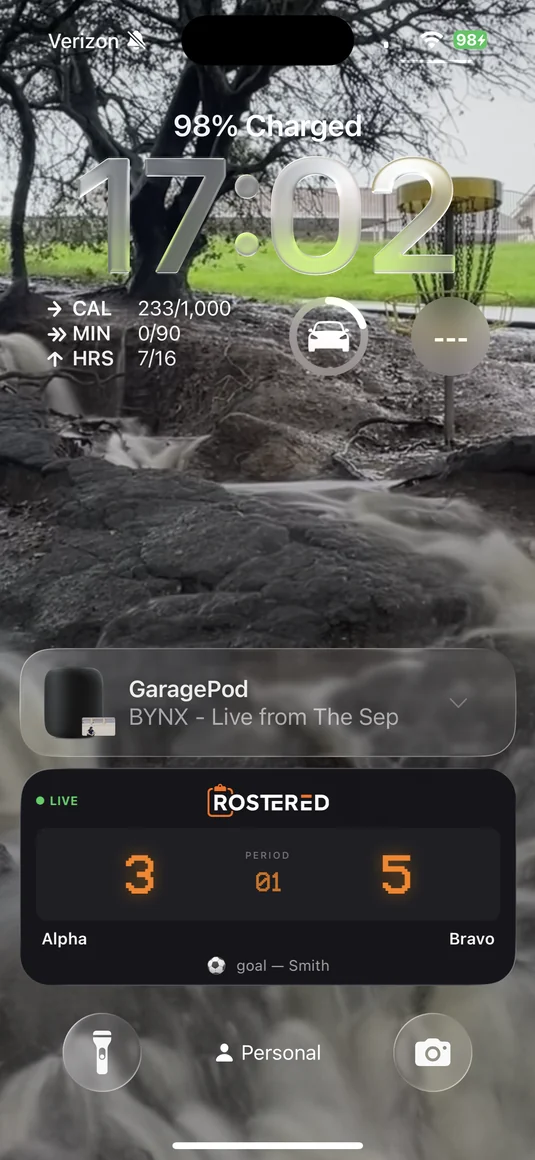 Live score Current period Last play
 One place for the game-day plan.
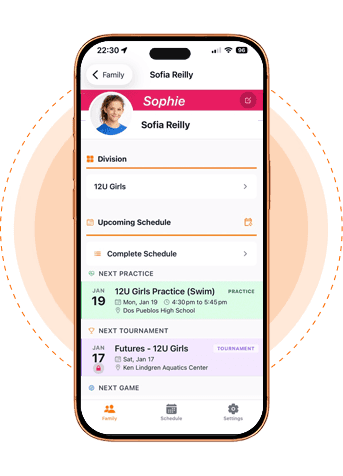
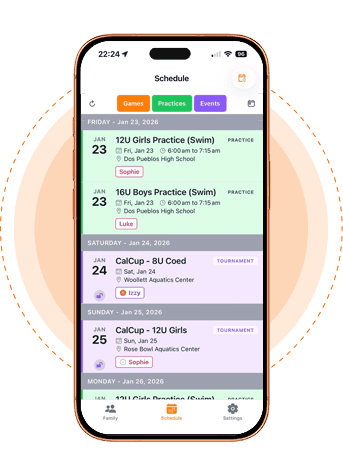
Water polo weekends change quickly: pools, warmups, opponents, and consolation paths can move as results come in. As coaches update results and event details, Rostered helps keep the team on the same page with automatic schedule-change notifications and an in-app schedule that stays current.
- Change pool, opponent, warmup, and arrival details as tournament results reshape the day
- Notify families from the updated event instead of relying on texts, emails, and deck-side conversations
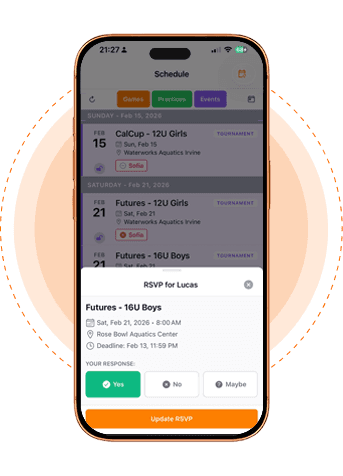
- Keep roster, attendance, game details, and spectator updates attached to the same schedule entry
- Give families the current answer before they ask where the team goes next
A water polo season,
on one screen.
Four steps from the roster plan to the final whistle, with fewer side-channel updates.
Set the roster for the event
Coaches and admins keep the water polo roster tied to the event, so the scorekeeper and families are working from the same team context.
Keep the schedule current
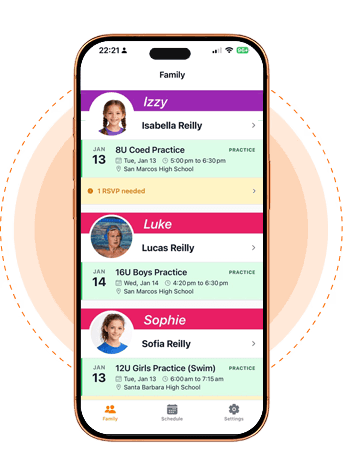
Game time, pool, opponent, arrival notes, and schedule changes live in one place instead of scattering through a weekend-long text chain.
Score from the deck
A parent or coach keeps score in QuickCap, one event at a time, and live spectator updates keep families close to the game.
Update families fast
The game ends, the score is visible, and the next instruction goes through Rostered instead of a dozen separate “where do we go now?” messages.
Questions, answered.
QuickCap speaks water polo instead of forcing scorekeepers into generic “score / no-score” buttons. It supports water-polo event language such as goals, assists, blocks, steals, exclusions, five-meters, timeouts, sprints, and quarter or period context.
Rostered keeps water-polo roster context tied to schedule, attendance, and QuickCap, with cap numbers as the primary game-day identifier.
When a game is live in QuickCap, parent-facing spectator updates can show the score, period, and recent play without forcing families to chase the bench in a group text. For families new to the product, the broader Rostered FAQ covers how the app fits into the team workflow.
Rostered helps teams keep tournament schedules, attendance, roster context, score updates, and family communication in one place. If a host bracket changes, the team can update the event details and point families to the current plan instead of relying on a stale screenshot or spreadsheet.
Free for parents and athletes. Water polo clubs choose a package sized to their club, from Squad to Elite, and pay one flat monthly fee based on athlete count, from $9 to $199 a month. Early water polo clubs lock in their rate for the first two seasons.