Receipts in.
Reports out.
Club money usually lives in a shoebox, a spreadsheet nobody wants to own, and a coach who is owed something and has stopped asking. Rostered gives the coach a way to get it in and the treasurer a way to get it settled.
How it works
Snap the receipt
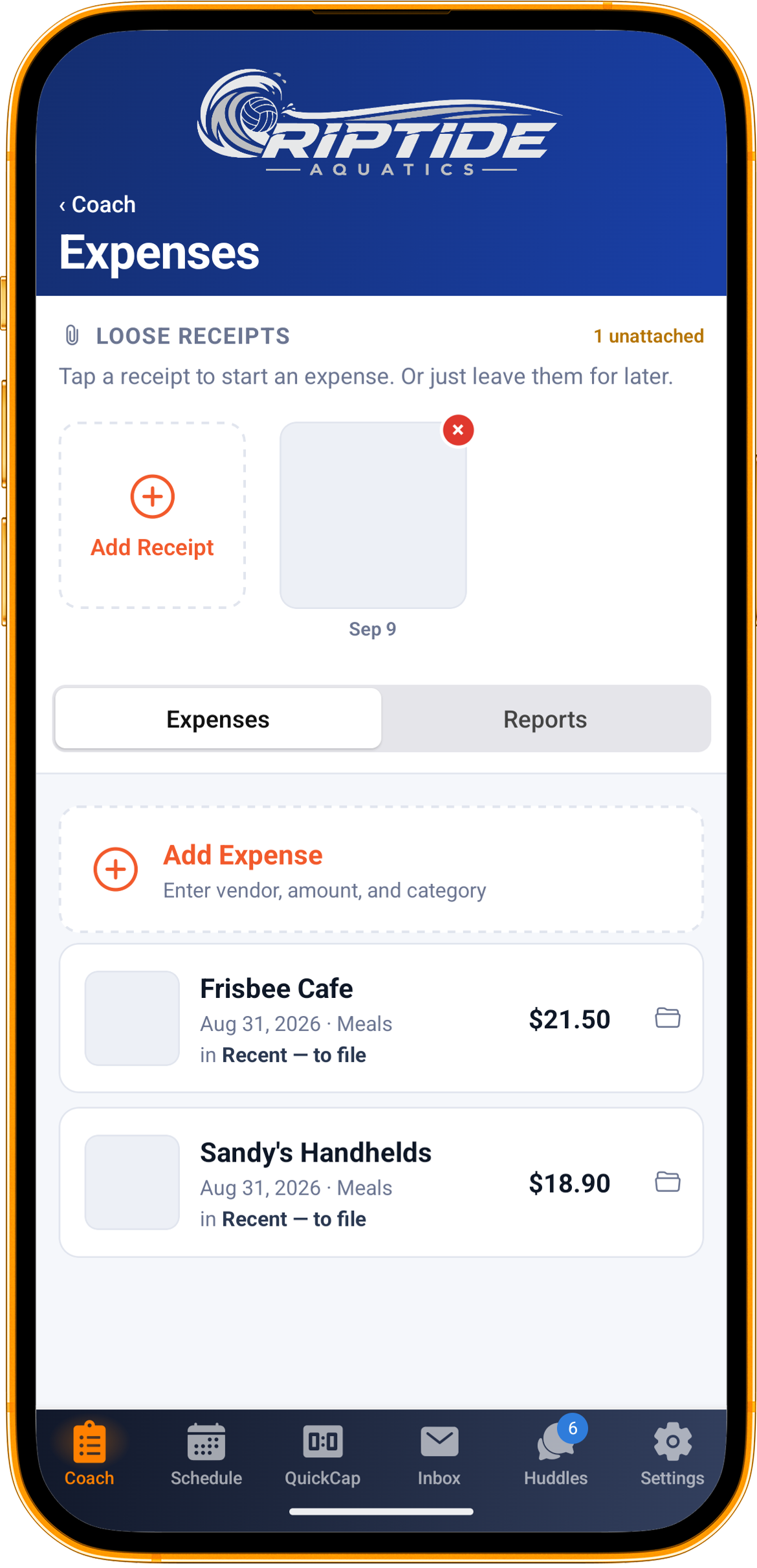
Photograph it or pick it from the camera roll, and the vendor, amount, date and a suggested category are read off it and filled in for you. Anything you have already typed is left alone. A PDF attaches too.
Or just keep it
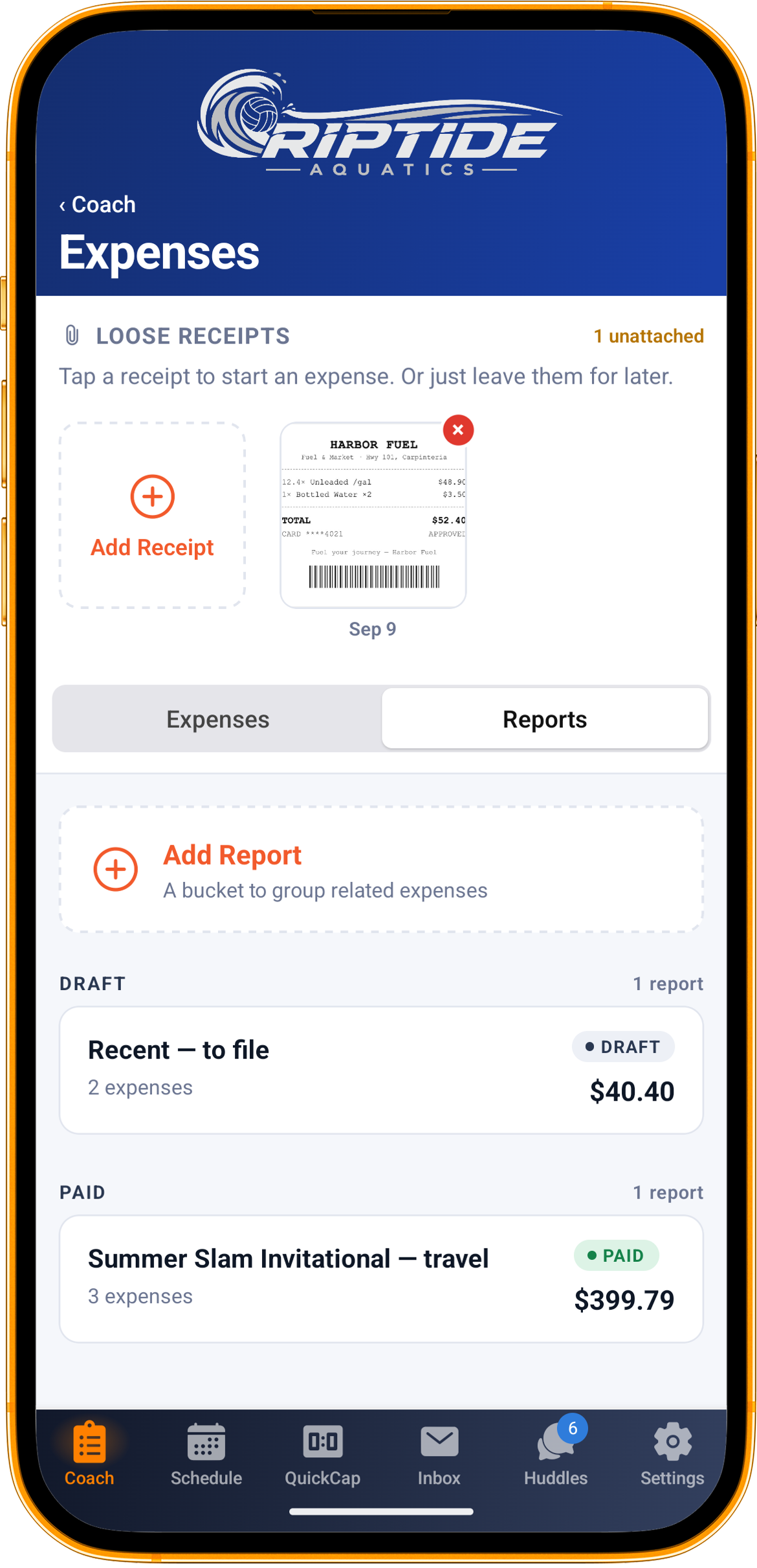
A receipt does not have to become an expense on the spot. Snap it at the hotel desk, leave it in the pile, and start the expense from it later when you have a minute.
Group it into a report
Meals, lodging, mileage and the rest go into a report, which can be tied to the event they were for. The receipt stays attached to its line.
Submit, and get an answer
An admin is told the moment it is submitted. They approve it, or send it back with a note that says which line and why, and mark it paid when it is. You are told at each step.
Type it, or let the receipt do it
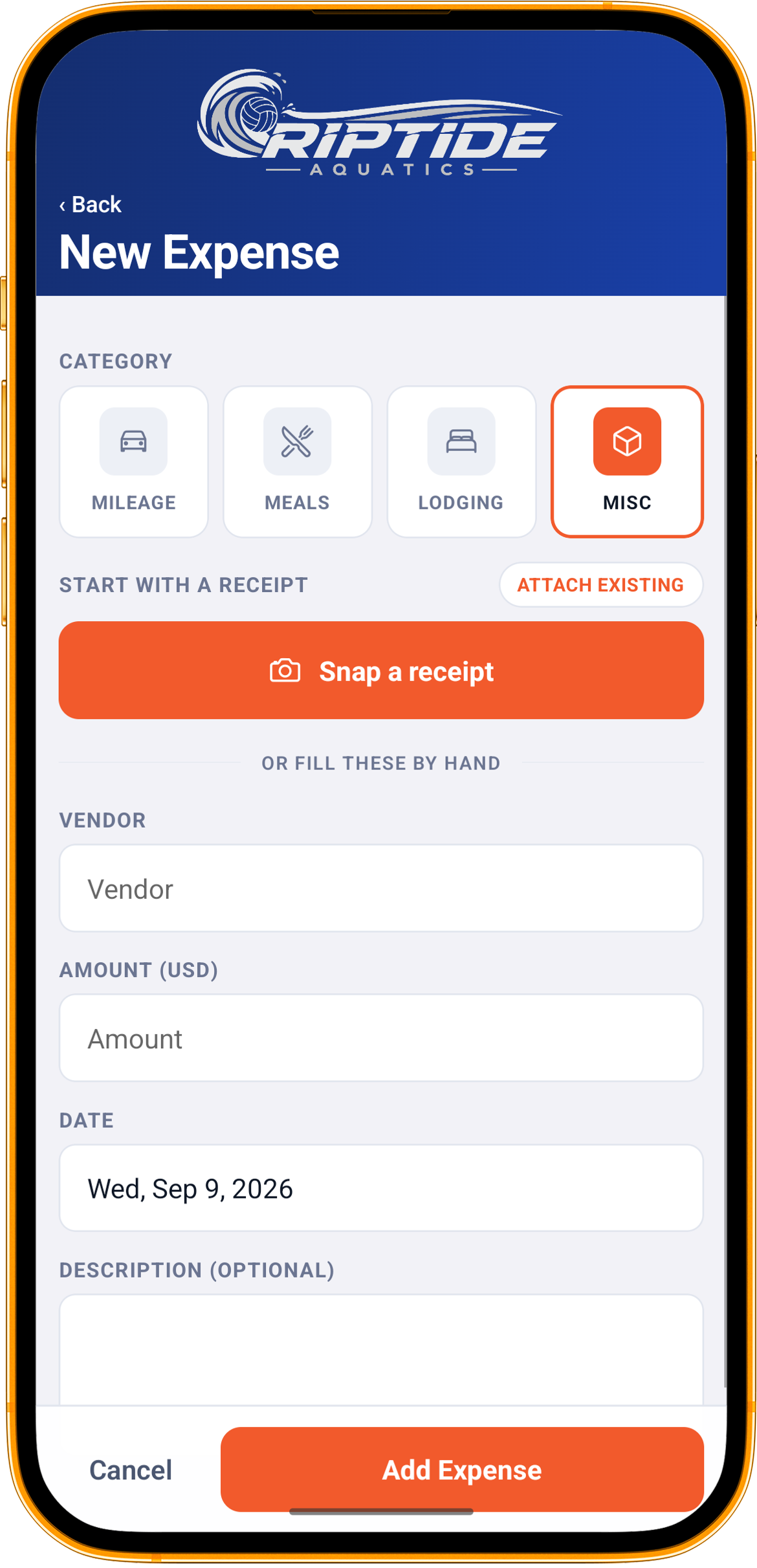
A new expense starts from a receipt or from a blank form, whichever you have. From a receipt, the fields are pre-filled from what is printed on it. From the form, four categories cover what a club actually reimburses: mileage, meals, lodging and everything else.
Mileage that does its own arithmetic
Enter where you started and where you drove to. The distance is looked up from the two addresses, or typed in if you already know it, round trip is a switch, and the amount is worked out at the IRS standard rate or a rate your club has set instead. The rate is locked onto the line when it is saved, so a change next year cannot quietly re-price a trip that was already paid.
A report that reads like the trip
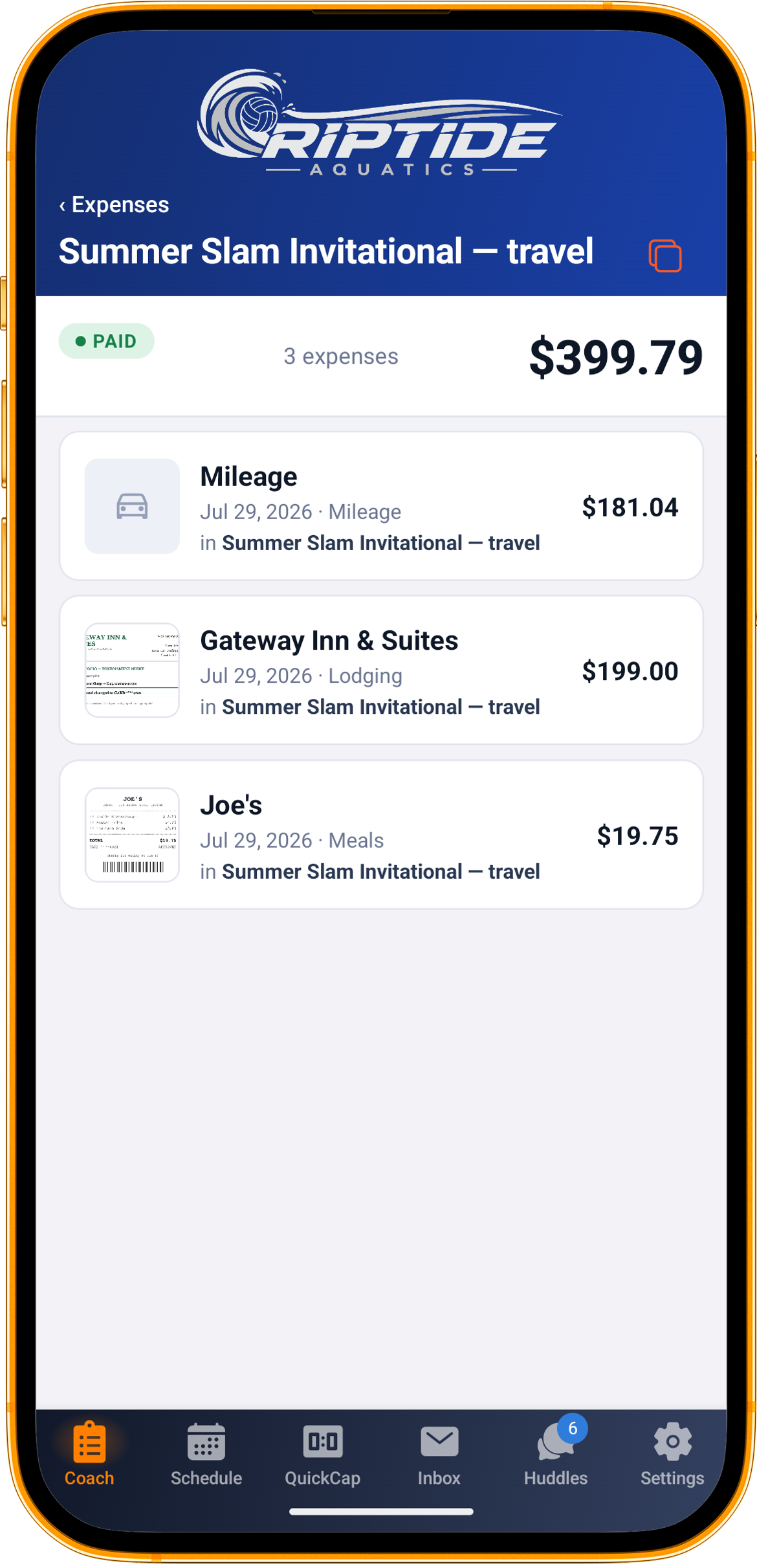
One tournament weekend becomes one report: the drive, the hotel, the team dinner, each with its receipt. The report can be attached to the event itself, so the treasurer sees what it was for without asking. A report with nothing in it, or with a line still missing its amount, cannot be submitted.
Sent back is not the same as denied
When an admin reviews a report on the web, they can flag a specific line and say what is wrong with it. The coach sees exactly which line, fixes it, and resubmits. Approved reports are marked paid when the money moves. Every change of status is recorded with who made it and when, which is the trail the next treasurer inherits.
Drafts do not get forgotten
A club can choose to nudge coaches who have expenses sitting unsubmitted for longer than it likes. One reminder, at most once a week, only to the people it applies to. Reports are listed by status, so what is still a draft and what has been paid are never the same pile.
What’s included
- Receipts from the camera, the photo library or a PDF
- Vendor, amount, date and category read from a photographed receipt
- Loose receipts you can turn into expenses later
- Mileage from two addresses, with round trip and your club’s rate
- Reports tied to the event they were for
- Web review by admins: approve, send back with a note, mark paid
- A recorded history of every status change
- Optional reminders for unsubmitted drafts
- Clone last trip’s report as the template for the next one
- CSV export of reports
Questions
Who can submit expenses?
Coaches and club admins. Parents and athletes do not see expenses at all; this is a tool for the people spending club money.
Who approves them?
Club admins, on the web. They are notified when a report is submitted, and the coach is notified when a decision is made.
Which package includes expenses?
The larger packages. See the pricing page for what each one includes.