A To-Do List That Cannot Go Stale
Every to-do list drifts. It tells you to do something you already did, so you stop trusting it, so you stop opening it. Needs Attention in Rostered is built so it cannot drift, because it does not keep its own copy of anything.
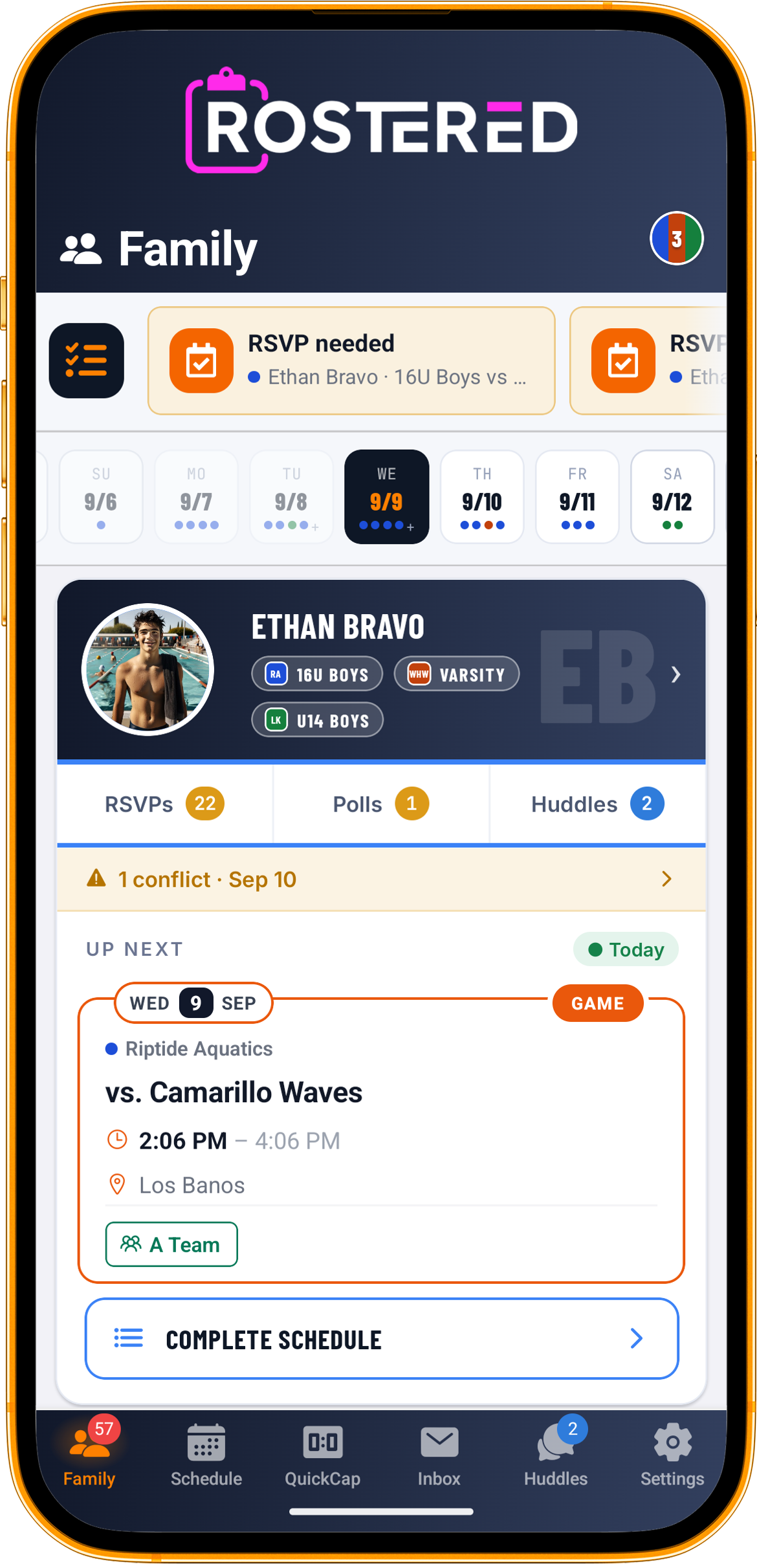
Every to-do list in every piece of software eventually tells you to do something you already did.
It happens because most of them keep their own copy. Something writes an item into a list, the underlying thing changes somewhere else, and now there are two versions of the truth with nothing keeping them honest. The list says you owe an RSVP. You answered it on Tuesday. The list does not know.
That costs more than the wasted tap. A list that is wrong twice is a list you stop believing, and a list you stop believing is one you stop opening, at which point it is worse than not having one because the club thinks you were told.
Nothing is copied into it
Needs Attention in Rostered does not maintain a list. It answers a question, each time you ask, from the same places the rest of the app answers it from.
The outstanding paperwork comes from the service that decides whether to prompt you for paperwork. The unanswered RSVPs come from the canonical pending-RSVP scope, the one the RSVP screens use. Unread messages and open polls come from the same cached badge counts that put the number on the tab.
On the club side it goes further, and this is the part worth pausing on. A pending signup is read from the same status the serializer uses to decide whether to show an approve or deny button at all. So the list cannot offer you a decision whose buttons are not there, and it cannot keep asking after you have made it.
That is the whole design. Not a sync that runs often. Not a cache that expires quickly. No second copy to go out of date, because there is no second copy.
It knows which child it is about
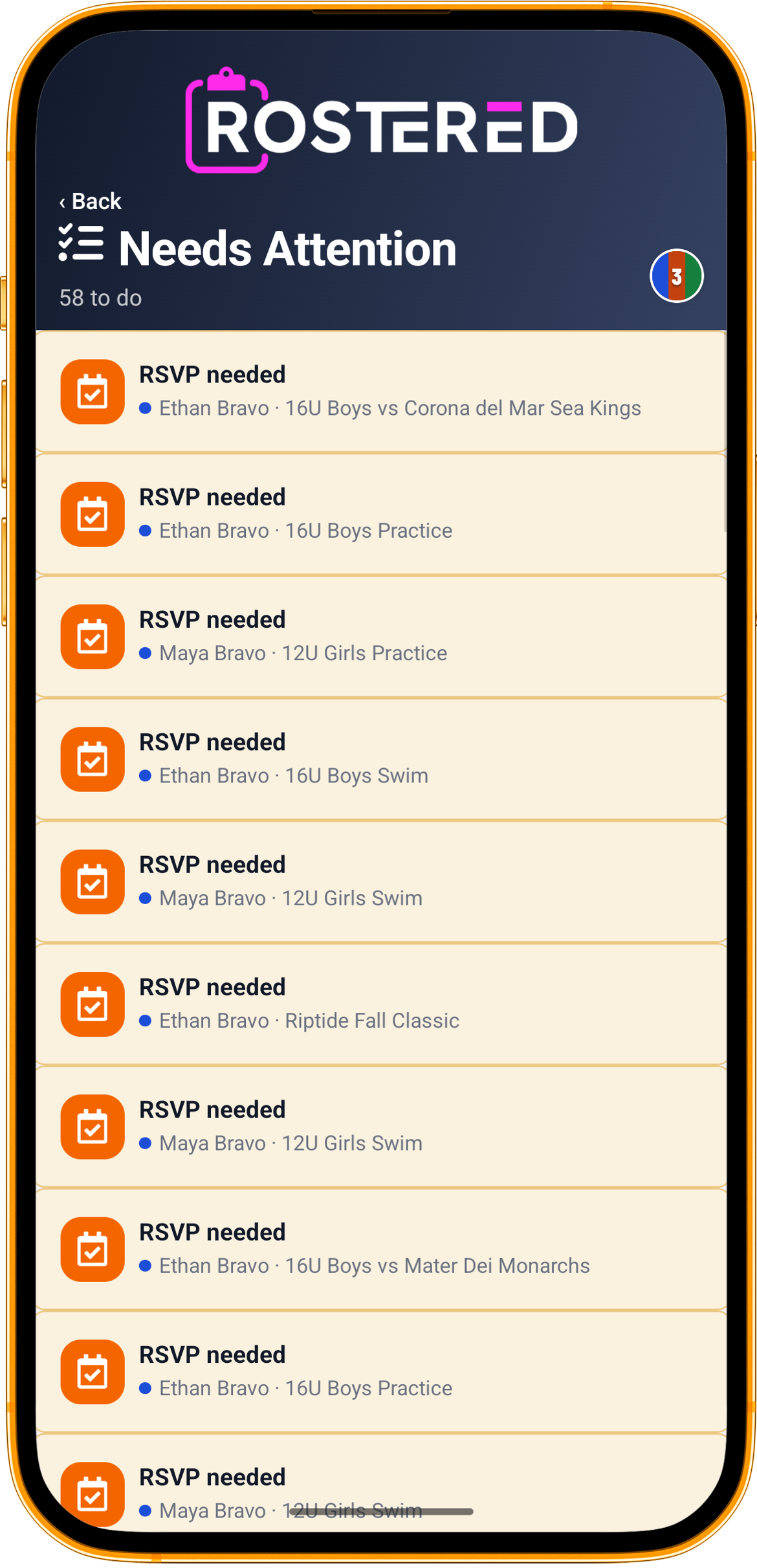
Every item names the athlete it belongs to.
That sounds obvious until you have two children in one club. A notification that says “RSVP needed” is a puzzle. A row that says “RSVP needed, Maya, 12U Girls practice” is an instruction, and the difference between those two is whether a parent can act from the school pickup line or has to sit down with the app later. Later is where things get forgotten.
The same is true of ordering. The list is sorted rather than chronological, and the ordering has opinions. The highest priority item for a family is not the one that blocks participation most urgently. It is confirming which of your children a suggested link belongs to, because an unconfirmed link means one sibling’s work can be recorded against the other, and a quietly wrong record is more expensive to fix than a late RSVP.
When there is nothing, it depends where you are
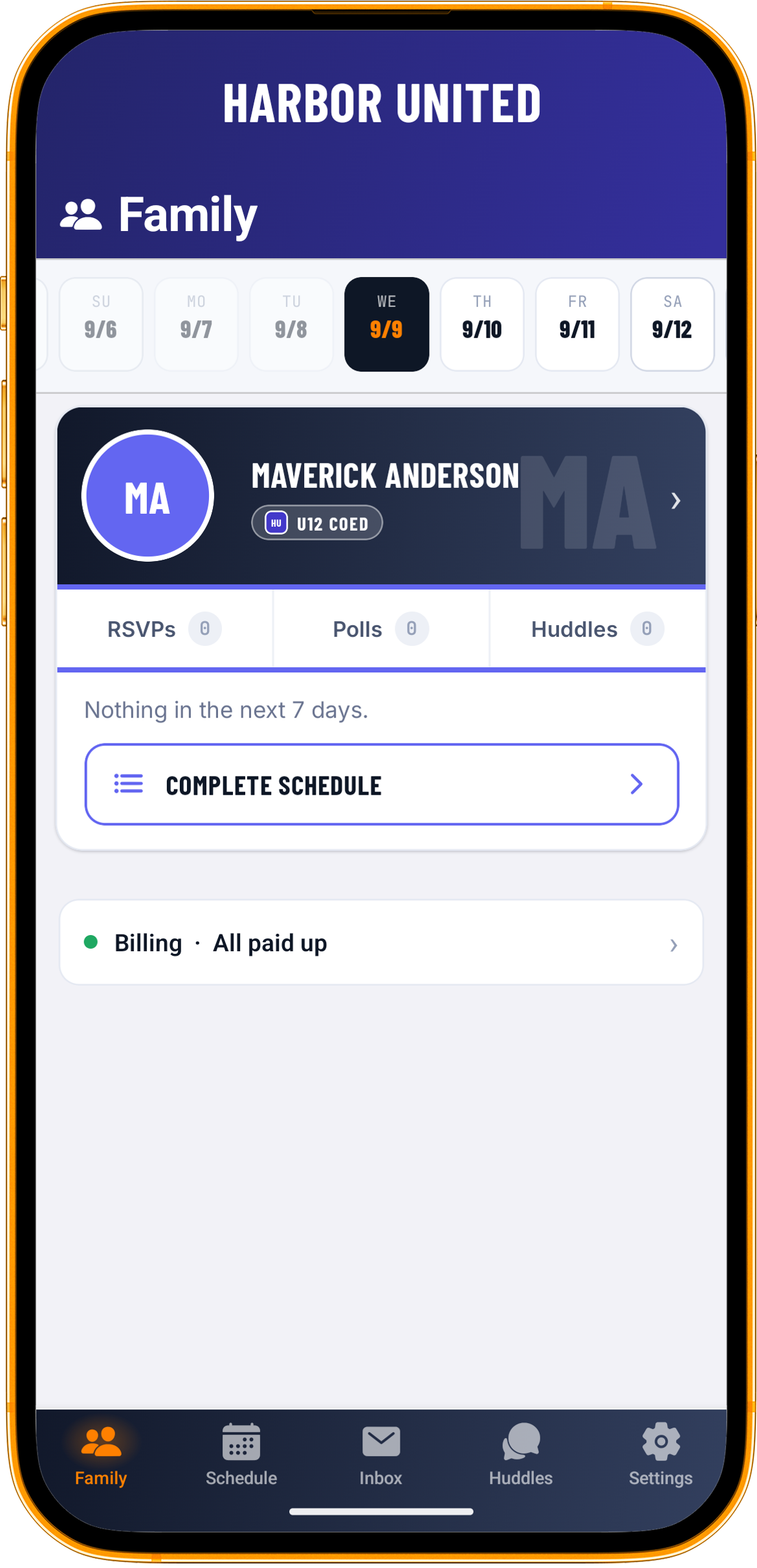
Compare that with the screen at the top of this post. The difference is not a panel saying you are all caught up. The strip is simply gone.
It does not flash either. There is no skeleton while the app checks, because a placeholder that collapses a moment later once the answer comes back empty is its own kind of noise. The strip only ever goes from hidden to showing real items. It never goes hidden, then loading, then hidden again.
Open the full list deliberately, though, and it does answer you. That screen says All caught up, and underneath, that nothing needs your attention right now.
Those two behaviors look inconsistent and are not. A surface you did not ask for should be silent when it has nothing to say, because appearing at all is a claim on your attention. A screen you deliberately opened owes you an answer, and leaving it blank would just look broken.
Most software gets this the wrong way round. The home screen keeps a cheerful empty panel that has to be scrolled past forever, and the detail screen shows nothing. A parent who opens the app and sees their kid’s week, with nothing demanding anything, has got what they came for. The correct thing to show them is their kid’s week.
What it is not
It is not a notification feed. Nothing accumulates in it, nothing needs clearing, and there is no unread state to manage. An item exists while the thing is outstanding and stops existing when it is not.
It does not decide anything for you. Every item is a pointer to a screen where you do the actual work, and tapping one opens that work rather than marking something done.
And it only shows what applies to you. A club admin and a coach see different queues, drawn from different sources, and somebody who is neither sees neither. Volunteer items appear only where a club has turned volunteer jobs on.
Why build it this way
The expensive version of this feature is the one that writes rows into a tasks table and then spends the next two years fixing the ways they go stale. It is easier to build and it fails slowly, which is the worst combination, because by the time anyone notices the list has already spent its credibility.
Deriving it costs more up front and cannot drift. For a thing whose entire value is that a parent believes it, that trade is not close.
Rostered is free for every parent and athlete, and clubs start at $9 a month. See what’s free, look at the packages, or start your club.