The Job and the Game Should Arrive Together
A club-wide email on Tuesday asking for help on Saturday is a request nobody connects to anything. Rostered attaches the job to the event, so the ask turns up beside the event it is for, with one place to say yes.
Here is the request that does not work, and every club has sent it.
An email goes out on Tuesday. It asks for two people on the gate and one on the scoreboard for Saturday’s home game. It goes to everybody, because that is the only list there is.
A parent reads it on Tuesday evening, somewhere between dinner and getting gear into a bag. They are not thinking about Saturday. They think someone will do that, which is what everyone thinks, and by Thursday the club sends the same email again with more exclamation marks.
The message was fine. The problem is that it arrived detached from the thing it was about.
Volunteer jobs are available where a club turns the feature on. If yours has not, ask.
Put the job where the game is
A volunteer job in Rostered can be attached to an event. When it is, it stops being a separate request and starts being part of the event.
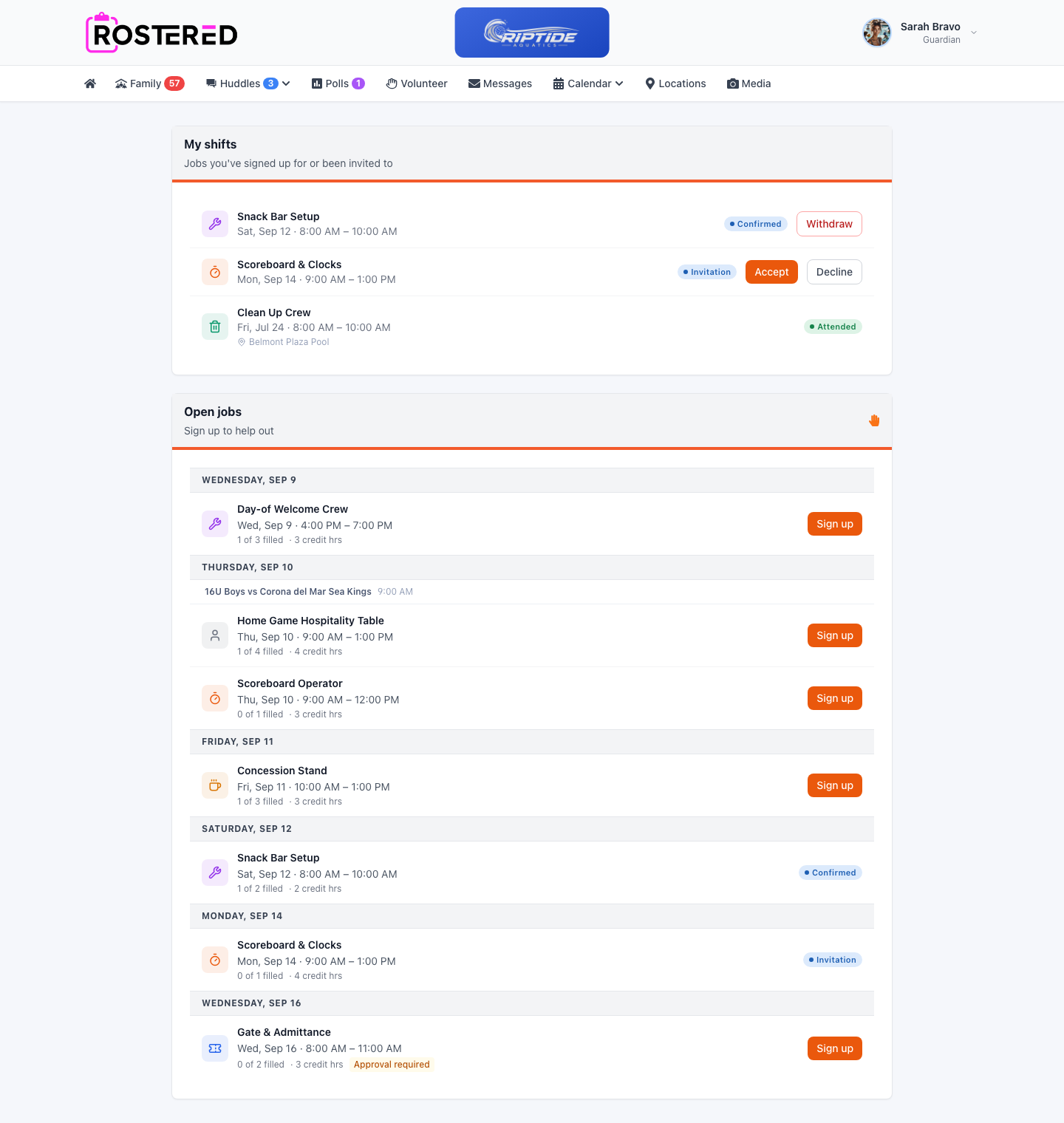
On the family screen at the top of this post, the Thursday group shows what that produces: the event is named, and the hospitality table and the scoreboard sit underneath it at their own times. A parent scrolling their week does not have to work out which email mentioned which Saturday. The job is in the same place as the reason for it.
Jobs that are not about a particular event stay standalone, because plenty of them are not: the field clean-up, the uniform handout, the weekend nobody wants to talk about yet.
One place to say yes
The top of that screen is the other half. A parent sees what they have already taken on, what they have been invited to and have not answered, and what they turned up to. Underneath, everything still open.
Each job says how many people it needs and how many it has. Where a club tracks volunteer hours, the job carries them, so a parent choosing between two shifts can see what each one is worth rather than guessing.
A club can let people sign up directly, or require an admin to approve each claim. Both are normal. A concession shift and a job handling gate money are not the same kind of ask, and a club should not have to run both the same way.
If two parents reach for the last slot at the same moment, one of them gets it. That sounds obvious and it is the sort of thing that is only obvious when somebody has done the work: the check runs against the database under a lock rather than against whatever the page was showing a second ago.
What the club sees
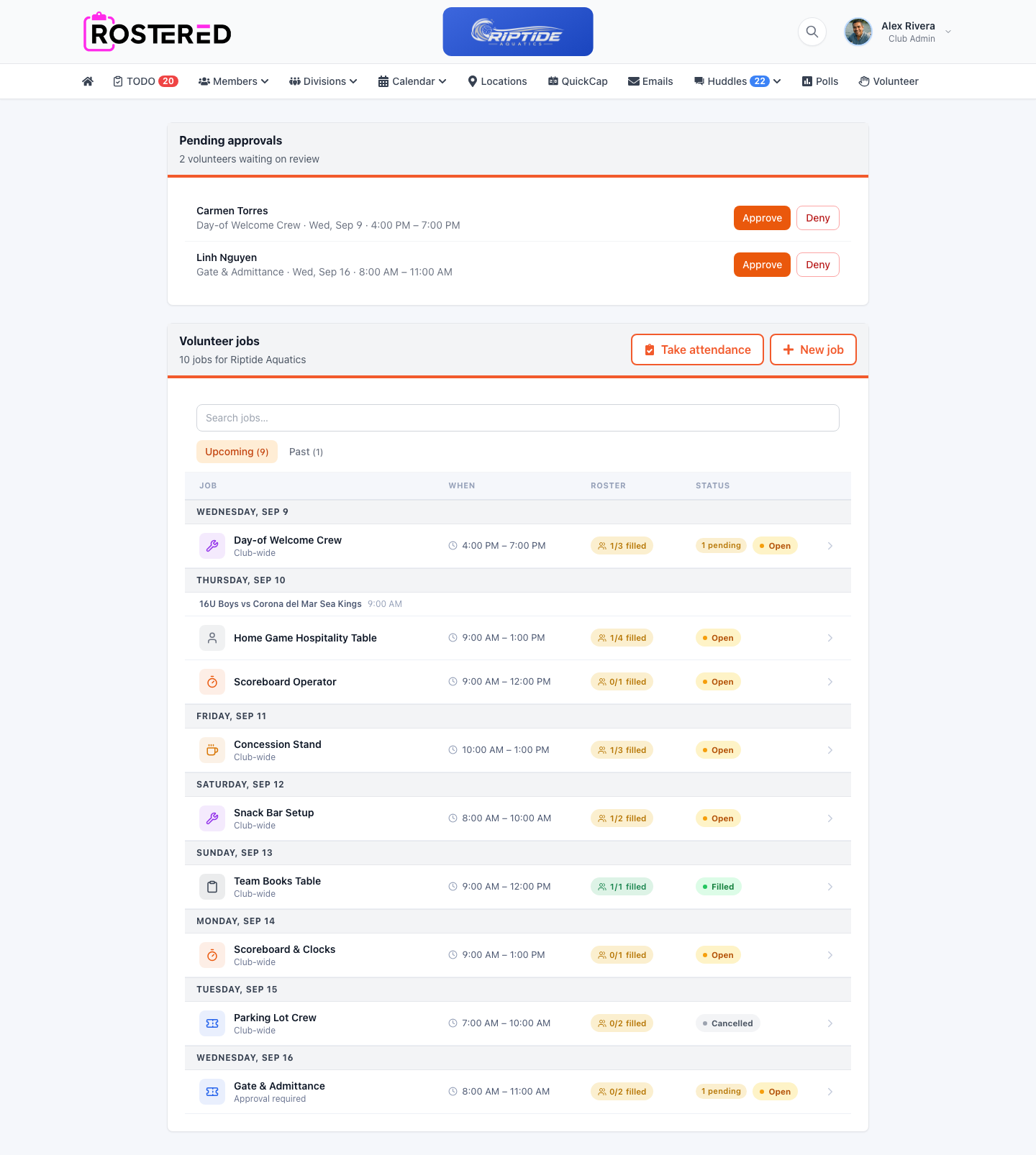
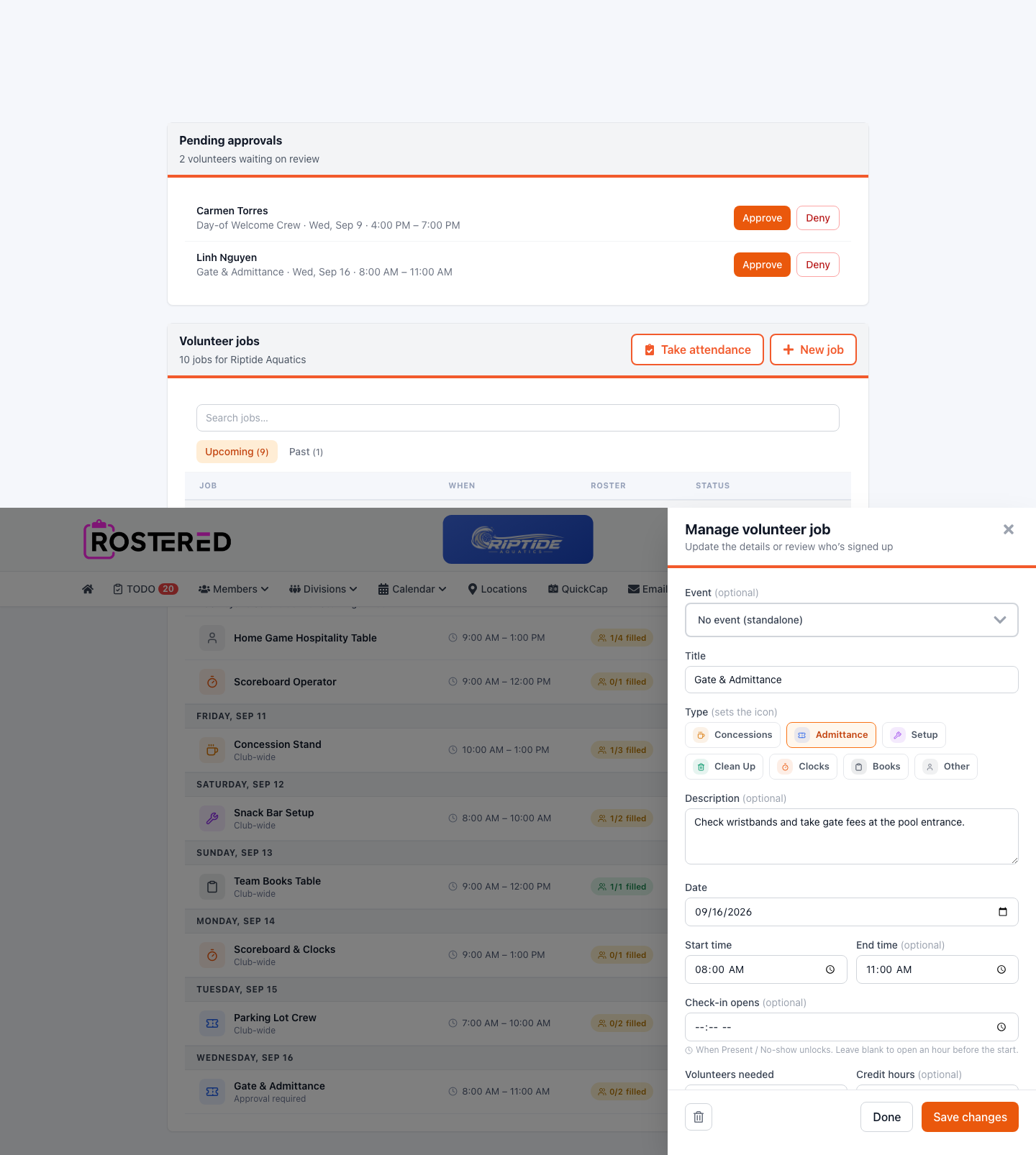
Anyone waiting on approval is at the top, named, with the job and the time, because that is a decision somebody owes an answer to rather than a notification to clear.
Below it, the season’s jobs with their filled counts. The useful question a week out is not “did I send the email” but “what is still short”, and that is the column.
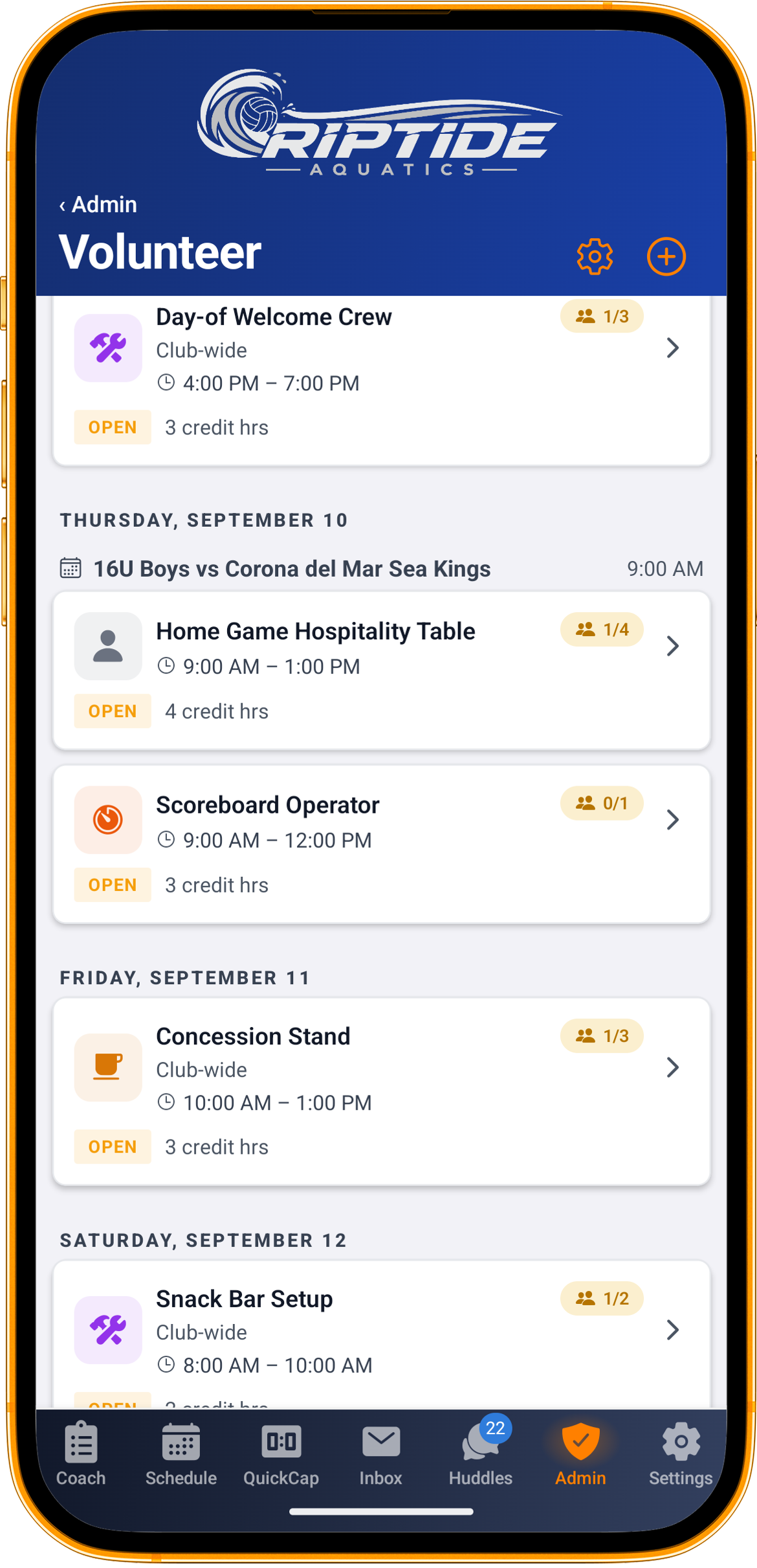
That is the same list on a phone, which is where most of this actually gets read. It is also the clearest picture of the two shapes side by side: the Thursday jobs sit under the game they belong to, and the Friday one is club-wide and stands on its own.
Turning up
Check-in opens an hour before a shift starts. A club can move that per job, because a gate opening at seven in the morning is a different proposition from a clean-up after the last whistle.
Attendance stays editable afterwards. The person marking it is standing at a gate with a phone, and a record you cannot correct is a record people stop keeping.
Backing out is allowed, and if it happens inside a day of the shift it is recorded as late. Not as a punishment. A club that keeps losing its Saturday morning at eight o’clock on Friday night needs to be able to see that pattern.
What it does not do yet
Every job in a club is visible to every guardian in it. Attaching a job to an event gives it context, not an audience: it shows up beside its event, but the whole club can still see it and claim it.
There is no way to copy a job you ran last month. Each one is created fresh.
And this is a record of who signed up and who turned up, not a system that totals anyone’s hours against a requirement or bills them for a shortfall.
The part that is actually the point
None of this is complicated, which is why it is worth doing properly.
Most clubs are not short of people who would help. They are short of moments where helping is the obvious next tap, in the same screen as the thing that needs help, at the point where somebody is already looking at Saturday.
Rostered is free for every parent and athlete, and clubs start at $9 a month. See volunteer management, look at the packages, or start your club.