Scrimmage Day
Scrimmage Day Planning: Host a Day of Friendlies
Hosting a day of friendlies? Scrimmage Hub helps you work out who plays whom, where, and when, at one location or several. Scores stay off your record.
More games, more reps
Maybe it’s preseason, maybe it’s a break in the schedule, or maybe you just want your teams to see some new faces. Either way, what you’re after is the reps: real games against new opponents, where a team gets better by playing and not just by practicing.
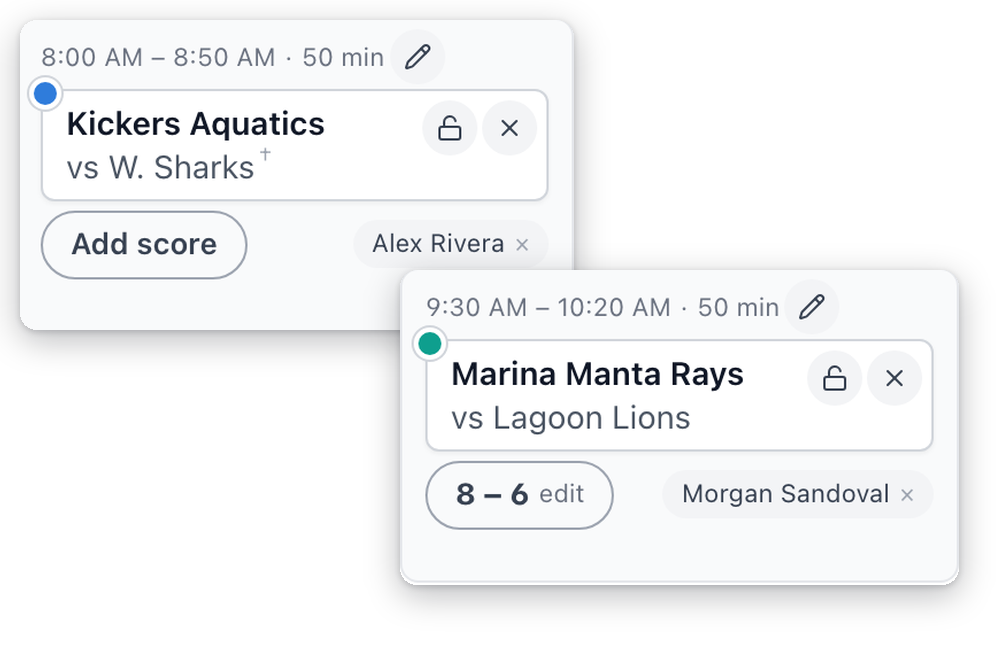
In Rostered, a Scrimmage Day is its own kind of event. You pick it when you create the event, and it works a lot like a tournament, with rosters, RSVPs, games, travel notes, and one email per roster. The games inside it are friendlies, and they show up in their own color on your calendar, so nobody mixes them up with league games. You keep the scores, and they show on each game and on the event, but they don’t count toward your season record or your players’ stats. A one-off friendly works the same way.
Keep the scores from your friendlies, without them counting toward your season record.
Why host a scrimmage day?
When you host, you don’t have to travel. Your teams play on fields they know, against teams they don’t usually see, and you get to pick the date, the opponents, the matchups, and how long the games run.
You also get real game time without the pressure. There’s no bracket and no title on the line, so you can rotate your whole roster, try new lineups, and give younger players minutes they’d never get in a final.
It’s a good day for your club, too. Families from other clubs come to your fields, your volunteers can run a snack stand, and you get to know the coaches down the road. And when nobody’s taking home a trophy, parents relax. They cheer for good plays on both sides and actually enjoy the day.
Scrimmage Hub makes the hosting part a lot easier. You plan every field, court, and time slot on one board, then publish it and send the other clubs a link to the schedule. They don’t need to sign up for anything.
Plan a round robin scrimmage on one board
Once a few teams say they’re coming, the hard part is the schedule. Who plays whom, on which field, at what time, and can a team get from one location to the next in time? That usually ends up on paper or in a spreadsheet. Scrimmage Hub is where you plan it in Rostered, on the web.
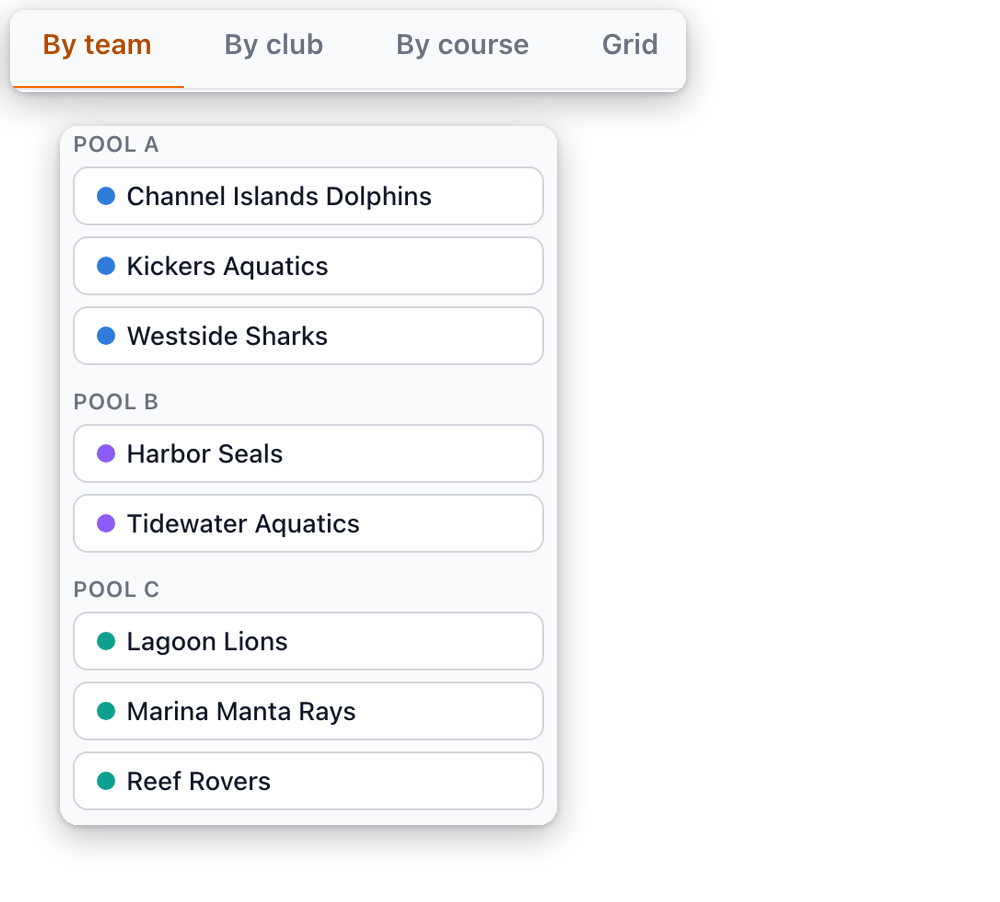
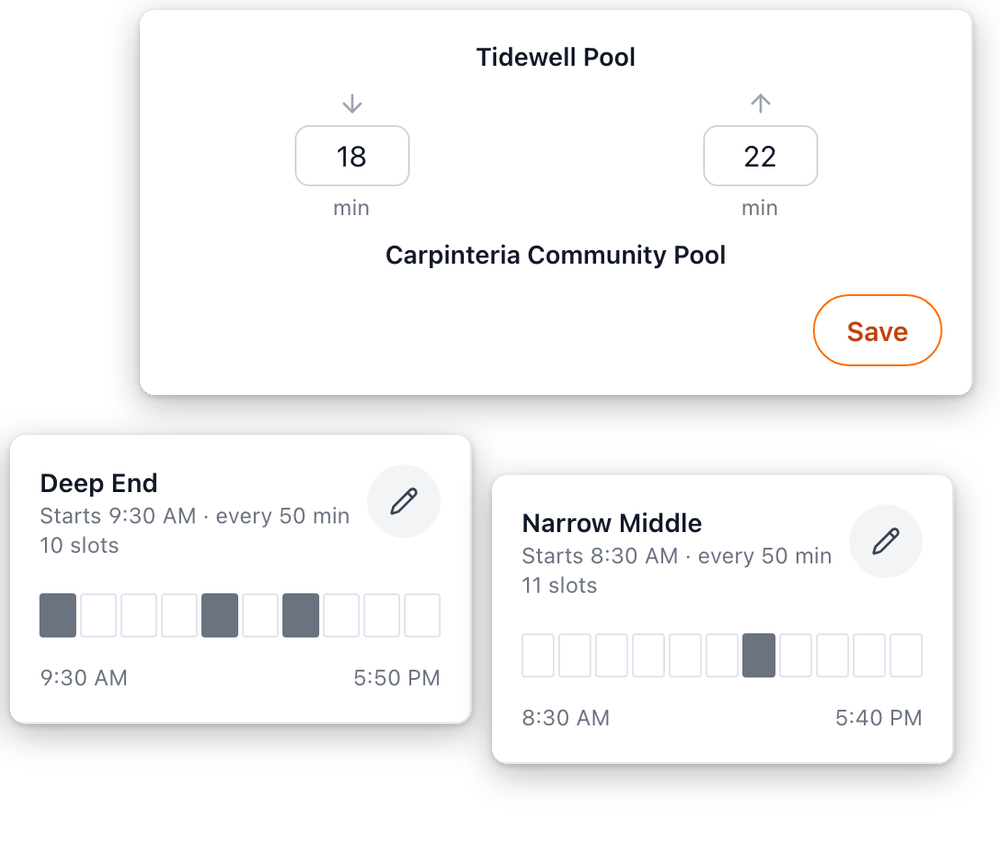
You add the visiting teams yourself, so they don’t need to use Rostered. Then you put the teams into round robin pools, where everyone in a pool plays everyone else in it. You set up each location you’re using, whether that’s one park or several, with its opening and closing times, the fields or courts there, when play starts, how long you want between games, and how long it takes to get from one location to another.
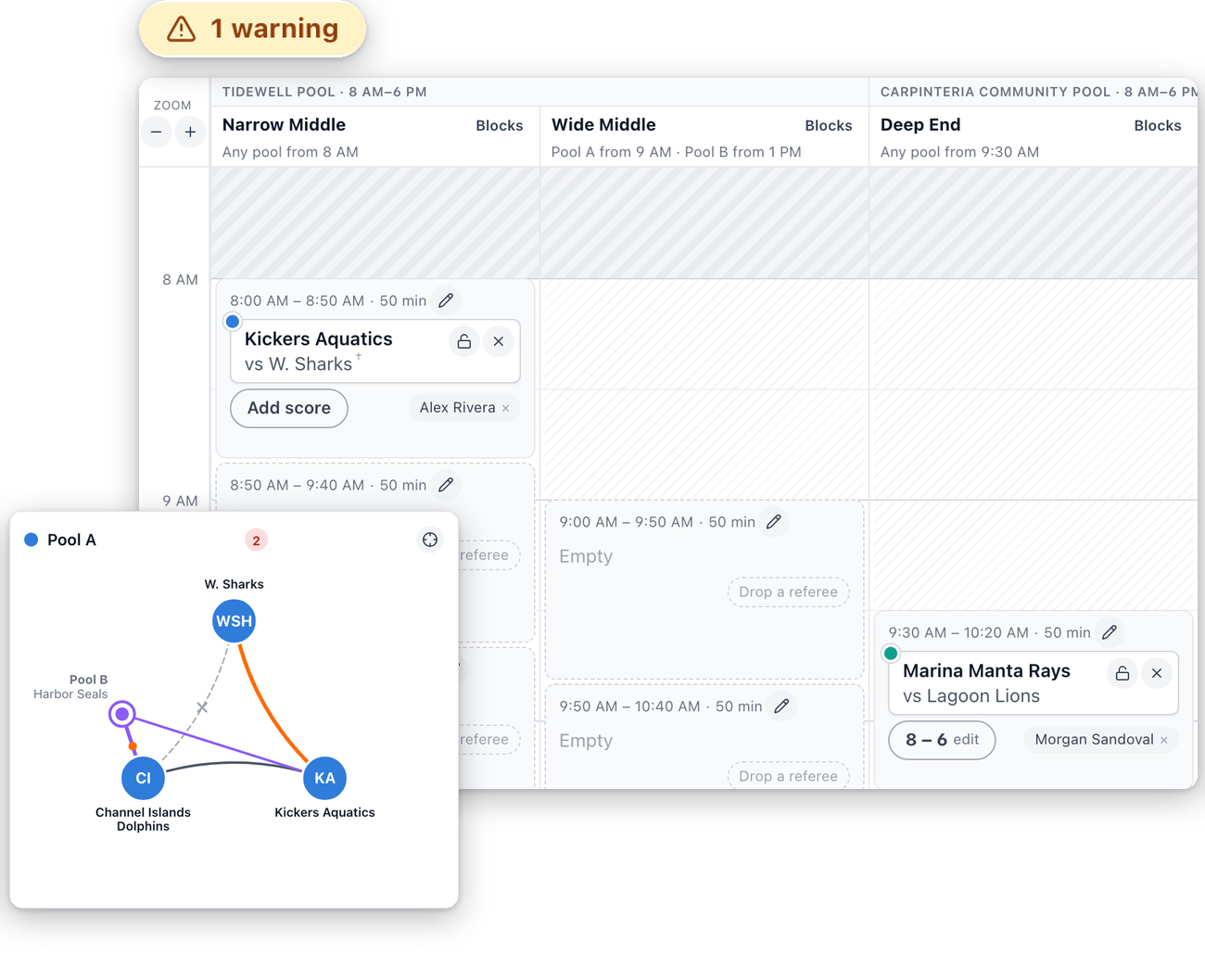
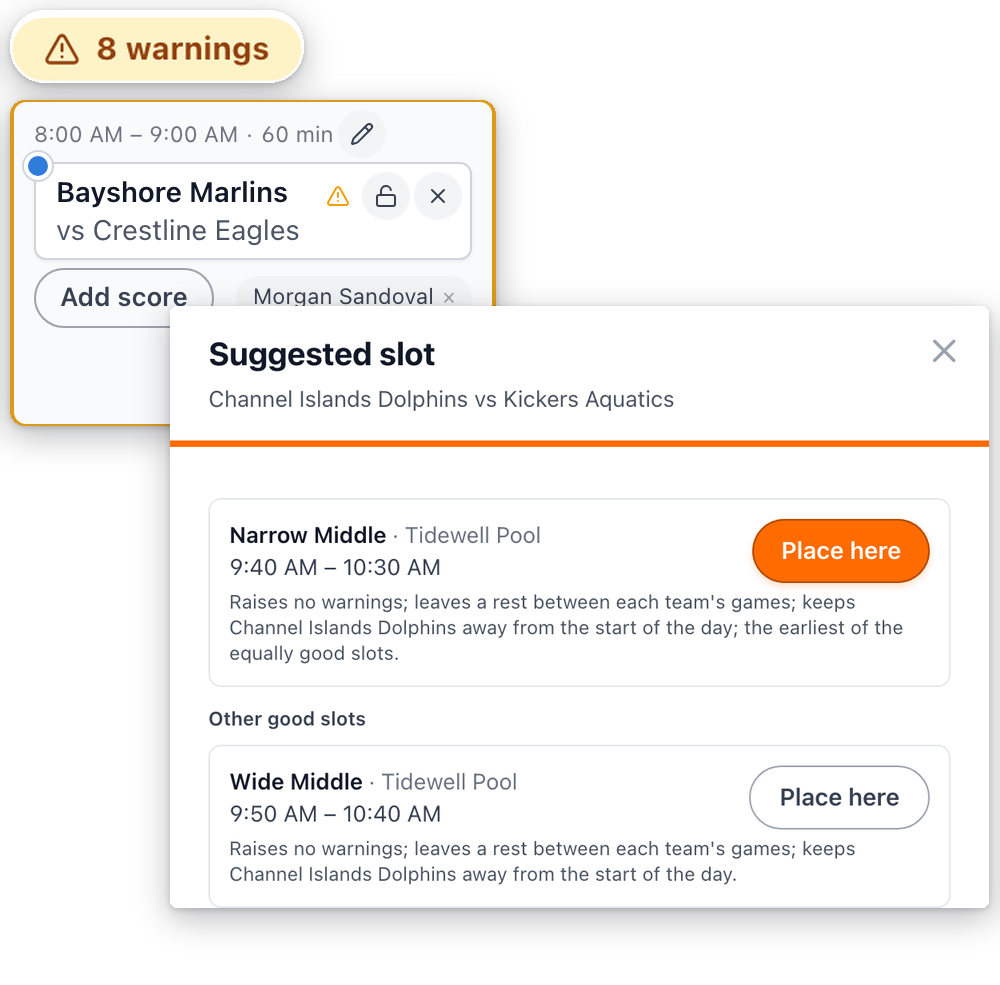
Every matchup shows up on the board as a card. Drag a card into a time slot, and the times after it shift to fit. Rostered warns you when a team is double-booked, when there isn’t enough time to get between two locations, when a game would run past closing time, and when a game is short on referees. If you’re not sure where a game should go, ask, and Rostered suggests the best open slot for it. Or let it build the best schedule it can for the whole day, then drag things around until it looks right. You can name referees for a single game or for a run of games on the same field or court.
Plan the whole day on one board, with pools, locations, times, and referees, then publish it to your schedule.
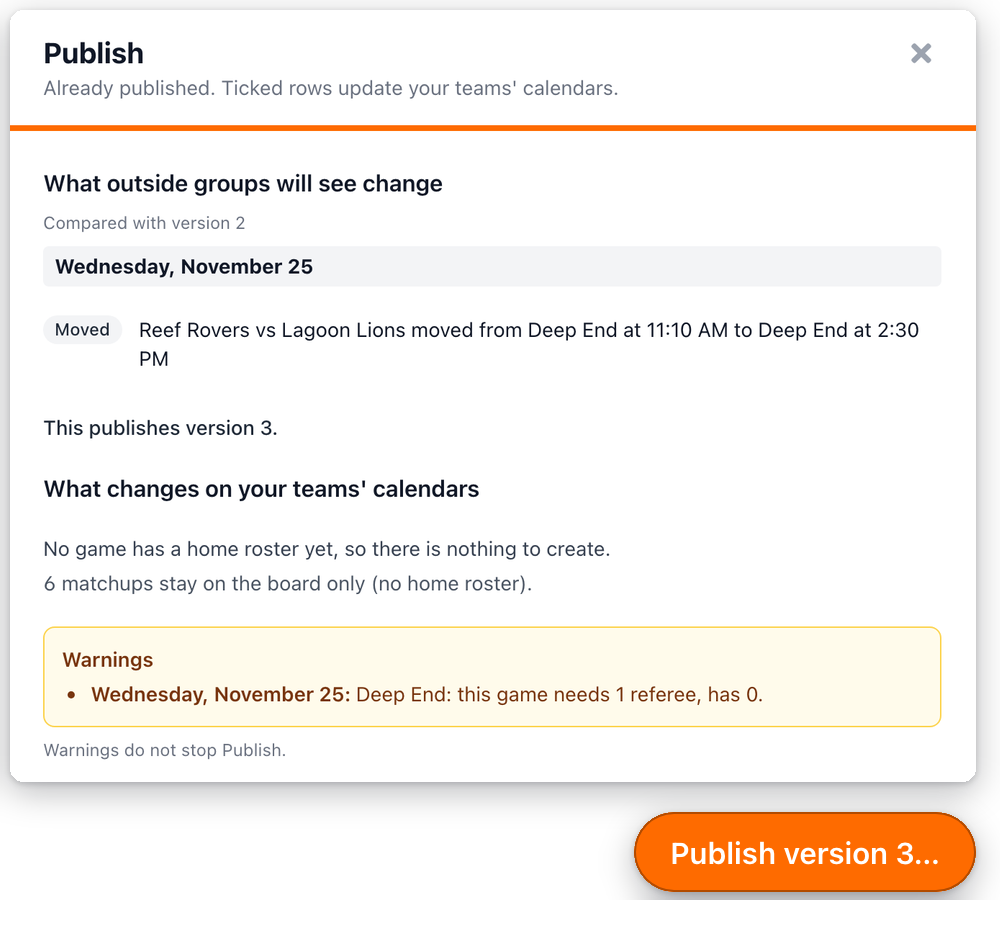
When the plan looks right, you publish it. Your own teams’ games become real games on your schedule, so your families can see them. Before anything’s created, Rostered shows you exactly what will be added, and your families only hear about it if you choose to tell them. Games between two visiting teams stay on the board, since they aren’t your games.
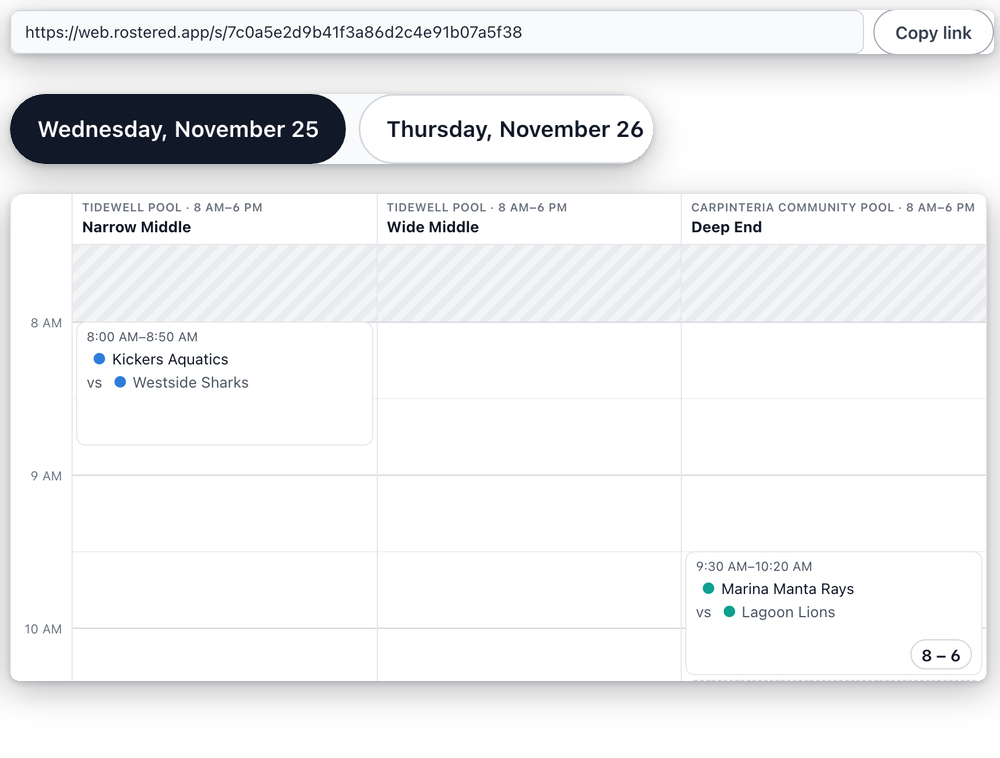
Publishing also gives you a link to the day’s schedule that you can send to the other clubs. Anyone with the link can see it without signing in, and it shows results as games finish. You can print it, too.
One thing to know: naming a referee on the plan isn’t the same as booking or paying one. Rostered doesn’t track officials’ availability, fees, or assignments, and it doesn’t connect to an officials’ association.
Next
Need to move or cancel something after you publish? See how to edit or cancel an event. Running a school program? See Rostered for school athletic departments.