Families sign up.
You still decide.
Open registration usually means either a locked spreadsheet only one person can edit, or a form that dumps unchecked rows straight into your roster. Rostered puts a review step in between, where it belongs.
How it works
Share your signup page
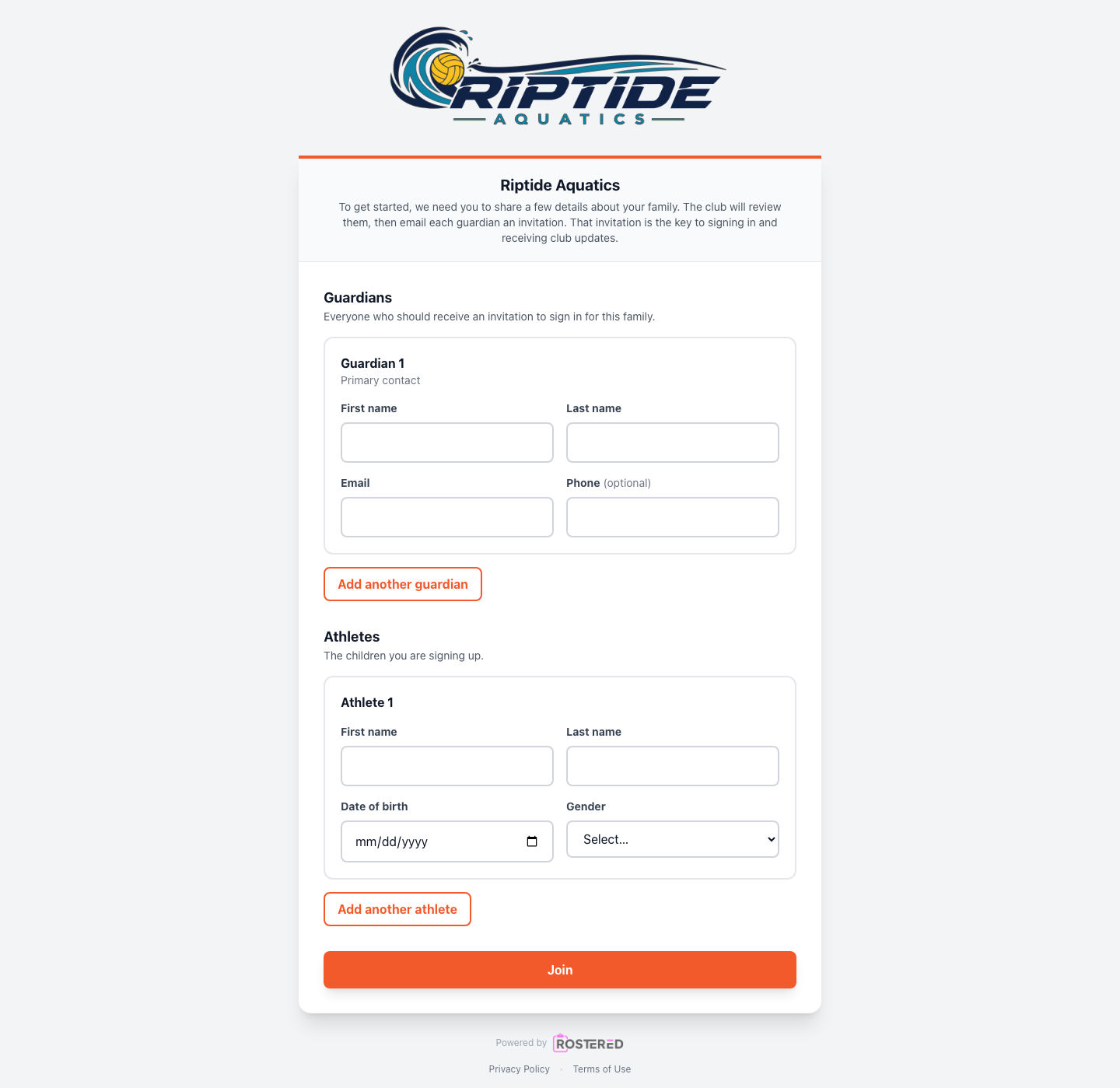
Where enabled, your club gets a public registration page. Share the link on your website, in a newsletter, or in the group chat you are trying to retire.
Families fill it in
Guardians, athletes and the details your club asks for, submitted from a phone without anyone creating an account first.
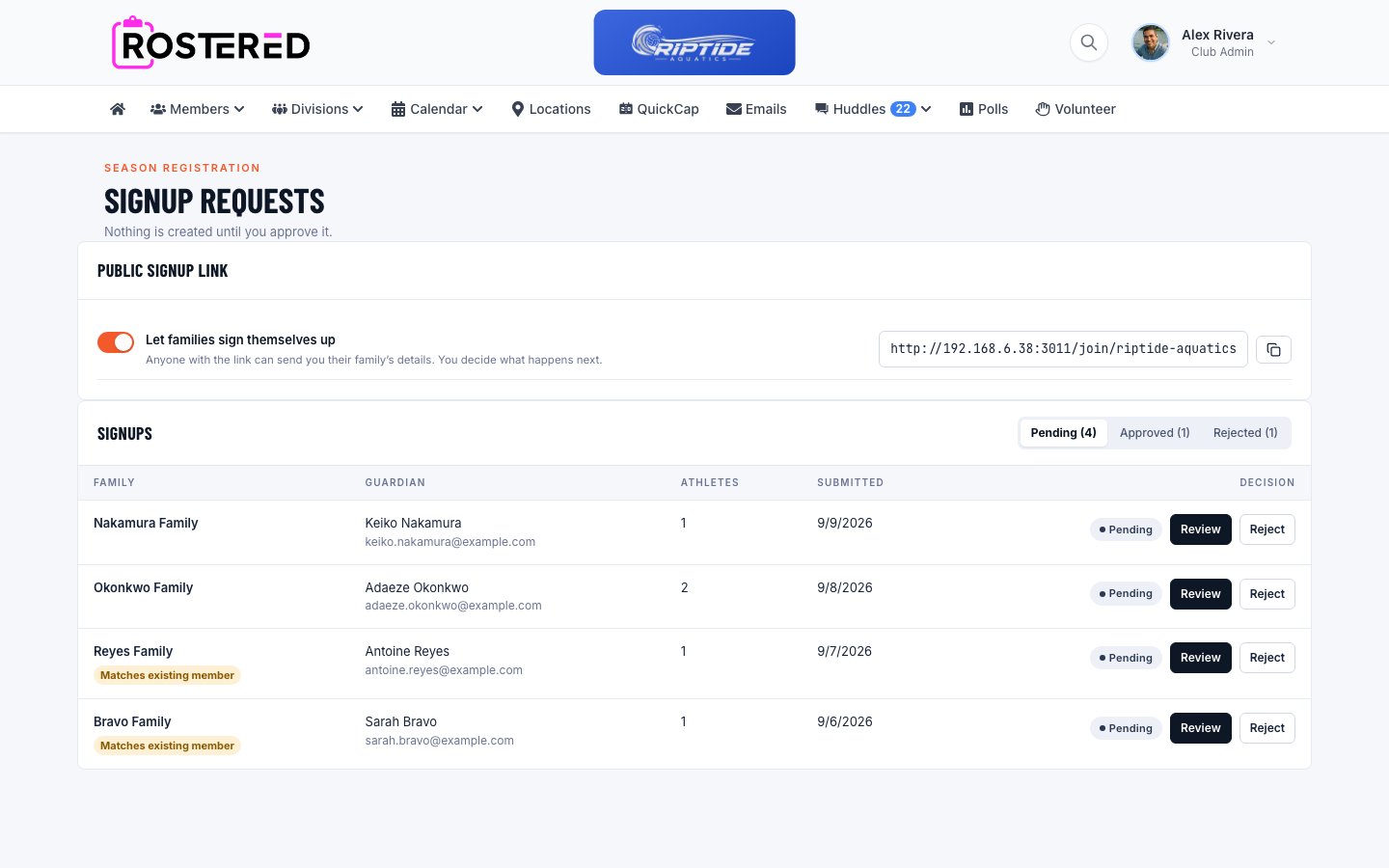
It lands in a review queue
Nothing in your real club data changes. The submission waits for an administrator, and Rostered flags whether it matches an athlete or member you already have.
Approve, and it becomes real
On approval the family is created from the submission. Rejection records who decided and leaves the roster untouched.
Nothing enters your roster unreviewed
A registration submission is a request, not a record. Until an administrator approves it, none of the club’s real data is touched, which means a mistyped form, a duplicate submission, or somebody’s cousin filling it in for a joke costs you a click rather than a cleanup.
Returning families are recognized
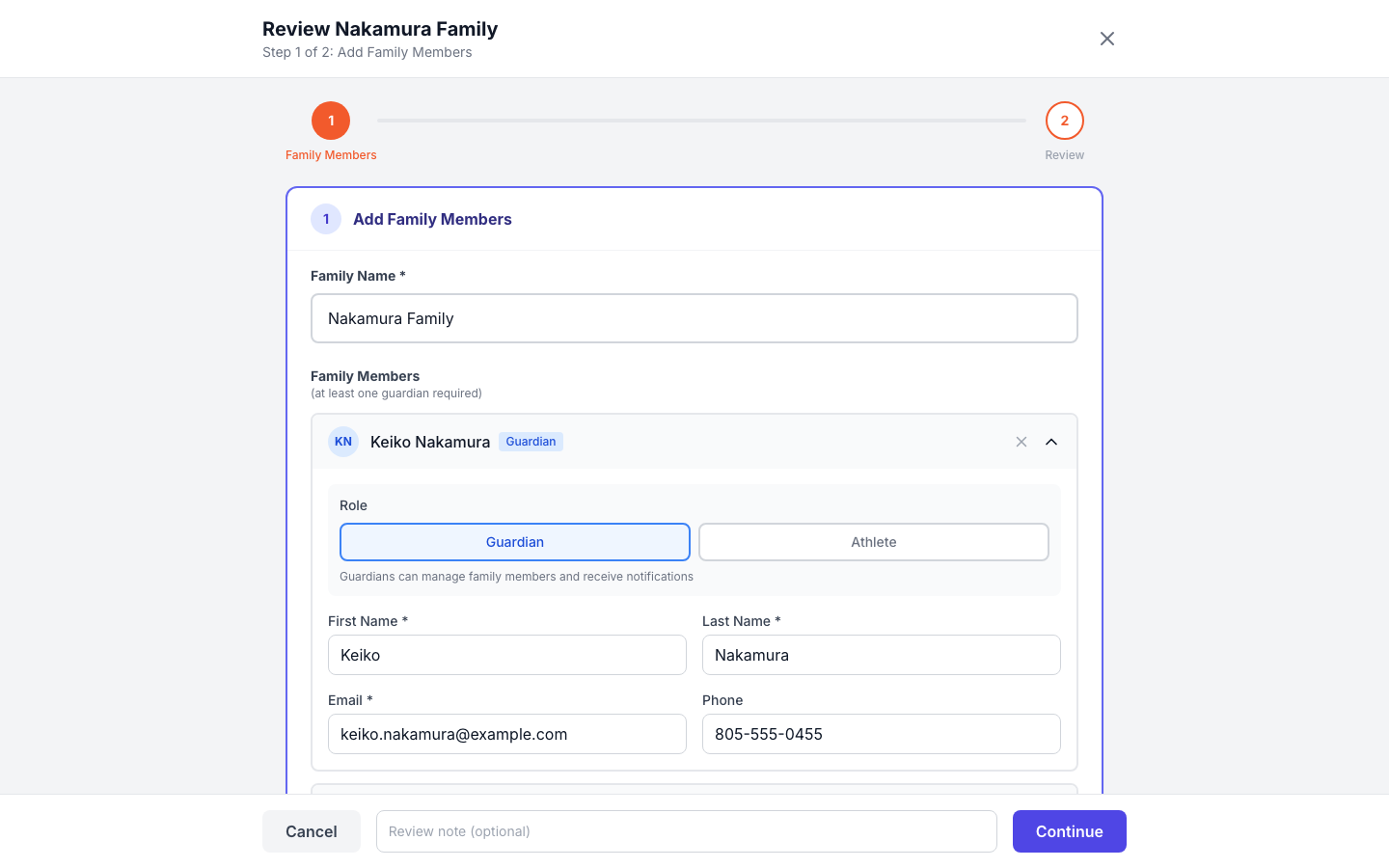
Most youth sports registration is the same families coming back in September. Rostered checks a submission against the athletes and members you already have and shows the admin what it matched, so a returning family is linked to their existing record rather than becoming a second copy of themselves.
Registration status you can act on, at the strictness you choose
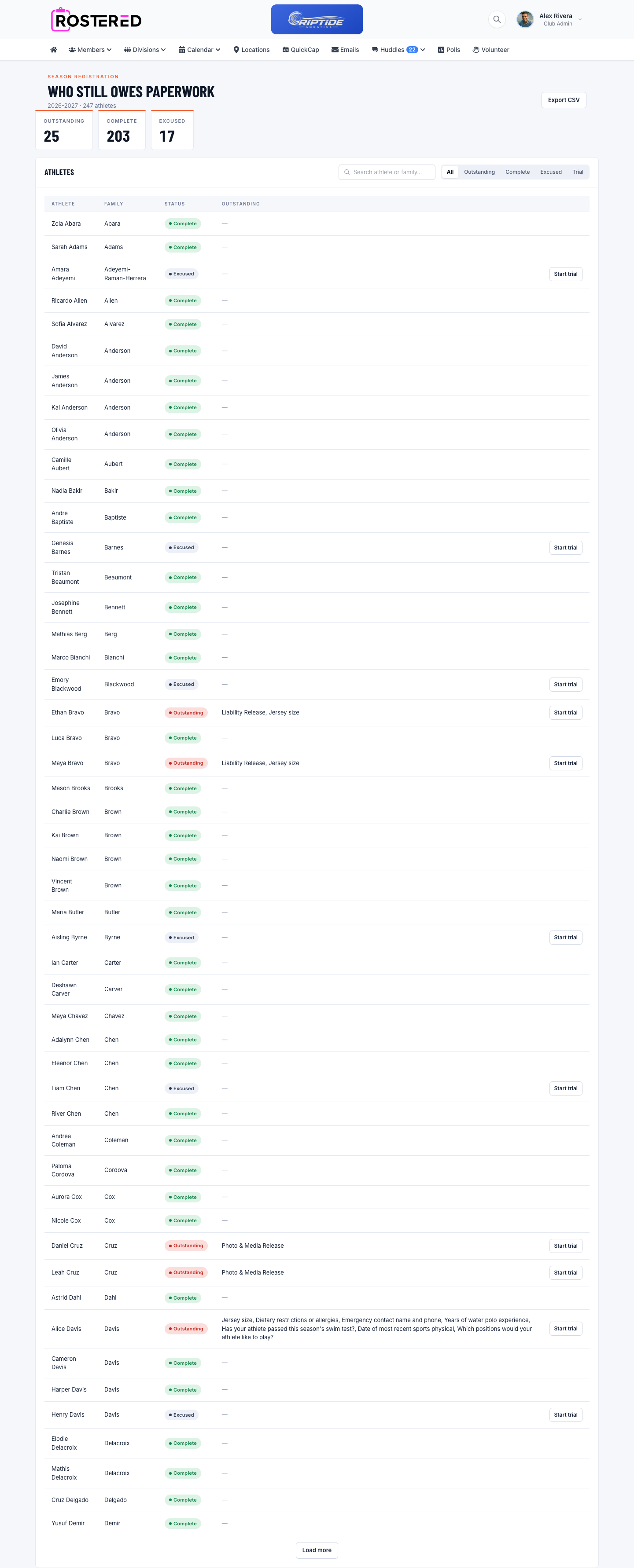
Clubs run registration differently, so Rostered does not force one policy. By default, incomplete registration is advisory: it is visible to administrators without locking anyone out. A club that needs teeth can escalate so that missing registration blocks RSVPs, or blocks roster placement outright. Coverage reporting shows where the gaps are before the season starts rather than after.
What’s included
- A public signup page families can fill in from a phone, where enabled
- Submissions held in a review queue, your roster is untouched until approval
- Matching against athletes and members you already have
- Approve or reject, with the decision recorded
- Advisory enforcement by default, with stricter options that block RSVPs or roster placement
- A registration checklist for families and coverage reporting for admins
Questions
Does a family need an account before they can register?
No. The signup page is public. An account is created when an administrator approves the submission.
What stops bad data reaching our roster?
The review queue. A submission changes nothing in the club’s data until an admin approves it, and Rostered shows what it matched against your existing records first.
Can we require registration before a child plays?
That is your call. The default is advisory, visible but not blocking, and a club can raise it so that incomplete registration blocks RSVPs or roster placement.